Digital transformation is no longer optional for process-driven industries. As businesses demand faster reporting, tighter compliance control, and scalable automation, upgrading to ERPNext v16 becomes a strategic necessity not just a technical update. If your organization is currently running Version 15, understanding the right migration strategy is critical to avoid downtime, data loss, and operational disruptions.
This comprehensive guide explains how to safely, efficiently, and strategically migrate from ERPNext Version 15 to Version 16 using expert-led ERPNext services. Whether you operate in manufacturing, trading, distribution, pharmaceuticals, retail, or service-based industries, this article will help you plan, execute, and optimize your upgrade to drive long-term business growth.
Why Upgrade to ERPNext v16?
Before diving into the technical strategy, it’s important to understand why organizations are prioritizing ERPNext v16 migration.
Every ERP version upgrade brings:
- Performance improvements
- Security enhancements
- Updated framework compatibility
- New features and workflow enhancements
- Better reporting and automation capabilities
ERPNext v16 offers improved handling of large datasets, enhanced accounting logic, better workflow automation, and stronger system scalability. Delaying upgrades increases technical debt, security risk, and compatibility challenges with future updates.
Migration is not an expense, it is risk prevention and performance optimization.
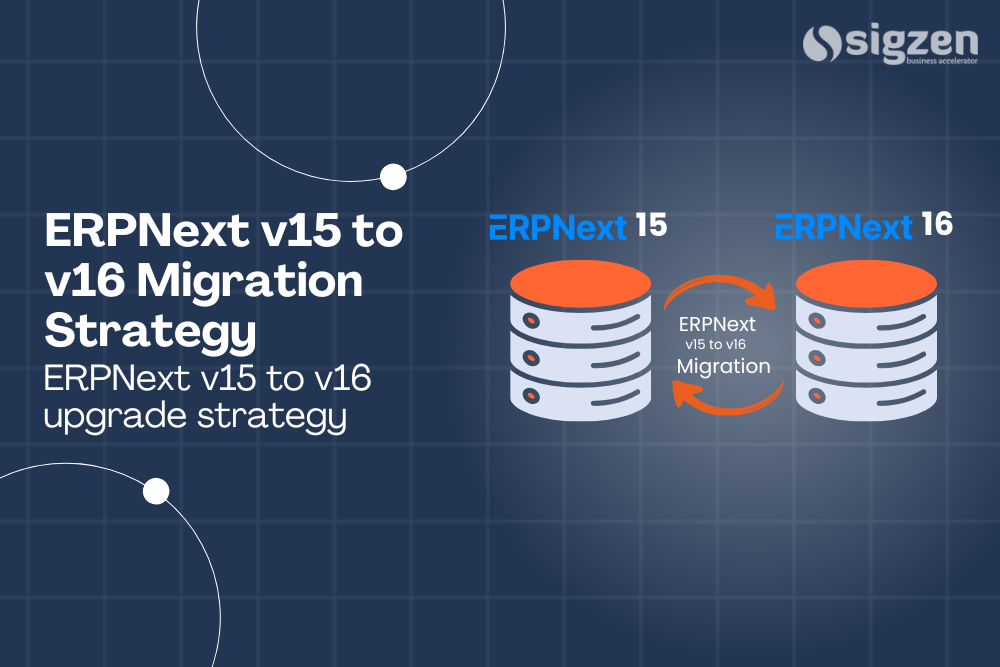
Understanding ERPNext v15 to ERPNext v16 Migration
ERP migration means moving your existing database, configurations, workflows, customizations and integrations to a newer version of the platform without disrupting business operations.
A Structured Migration Includes:
- Framework upgrade – Updates the underlying Frappe framework to ensure compatibility with ERPNext v16 features and architecture.
- App compatibility verification – Confirms that all installed apps and integrations function correctly with Version 16.
- Custom script validation – Reviews and updates custom client and server scripts to prevent functionality errors.
- Database schema updates – Applies required structural changes to database tables without affecting data integrity.
- Functional testing – Validates real business transactions to ensure workflows operate correctly after migration.
- Performance optimization – Enhances system speed and stability to leverage improvements in ERPNext v16.
Without Proper Planning, Businesses May Face:
- Broken custom scripts – Deprecated APIs or syntax changes may cause custom features to stop working.
- Missing fields – Improper schema migration can result in missing or mismatched data fields.
- Workflow errors – Approval processes and automation rules may fail due to configuration conflicts.
- Financial data mismatch – Ledger balances and stock valuations may show discrepancies if not validated properly.
- Report calculation discrepancies – Custom reports may generate incorrect figures due to logic changes in the new version.
Key Differences Between ERPNext v15 and ERPNext v16
Understanding version-level changes helps reduce surprises during migration.
1. Framework-Level Enhancements
ERPNext v16 includes updated Frappe framework architecture, improved database handling, and optimized background job processing. These changes enhance system speed and stability.
2. UI and Workflow Improvements
Improved user interface elements and better workflow flexibility enhance user adoption and daily operational efficiency.
3. Accounting and Reporting Enhancements
Financial modules receive structural improvements, especially in stock valuation, expense booking, and financial reporting accuracy.
4. Security & Compliance Updates
Version 16 includes stronger authentication controls and improved permission management, essential for audit-driven industries.
Pre-Migration Checklist: Technical Preparation
Migration success depends on preparation. Skipping this phase increases failure risk.
1. Full System Backup
Always create:
- Database backup
- Site backup
- App and custom code backup
This ensures rollback capability in case of unexpected errors.
2. Customization Audit
Identify:
- Custom fields
- Custom scripts
- Server scripts
- Print formats
- Third-party integrations
Each customization must be tested for compatibility in ERPNext v16.
3. App Compatibility Check
Verify whether installed apps are compatible with Version 16. Incompatible apps must be upgraded or replaced.
4. Server Environment Review
Ensure server meets:
- Python version requirements
- MariaDB compatibility
- Node version compatibility
- Bench version upgrade readiness
Environment mismatch is one of the most common migration blockers.
Step-by-Step ERPNext v15 to ERPNext v16 Migration Strategy
A structured upgrade minimizes operational disruption.
Step 1: Create a Staging Environment
Never migrate directly on live server.
Create a staging copy of your production site for safe testing.
Step 2: Update Bench and Framework
Upgrade the Frappe framework to the Version 16 branch using structured commands. Ensure no dependency conflicts occur.
Step 3: Upgrade ERPNext App
Switch ERPNext to the Version 16 branch and perform migrations using bench migrate commands.
Step 4: Resolve Patch Conflicts
During migration, database schema updates may trigger errors. These must be resolved carefully without data loss.
Step 5: Validate Custom Scripts
Test all:
- Client scripts
- Server scripts
- Workflow rules
- Print formats
Modify deprecated syntax as required.
Step 6: Functional Testing (UAT)
Simulate real business scenarios:
- Sales order creation
- Batch manufacturing entry
- Stock transfer
- Quality inspection
- Financial closing
This ensures operational readiness before go-live.
Migration Risks and How to Avoid Them
Data Loss Risk
Upgrading ERP systems involves database modifications that can accidentally impact stored information if not handled carefully. Even minor errors during patch execution may lead to missing transactions or corrupted records.
Mitigation: Always create verified backups of the database and test the restoration process in advance to ensure full data recovery capability.
Customization Failure
Custom scripts, fields, and workflows built in Version 15 may use deprecated methods that are no longer supported in ERPNext v16. This can cause features to stop functioning or behave unexpectedly after migration.
Mitigation: Conduct a thorough customization audit and refactor outdated APIs or scripts before starting the upgrade process.
Integration Breakdown
ERP systems often connect with third-party tools such as WhatsApp APIs, accounting software, payment gateways, or external portals. Version upgrades may disrupt these integrations if API endpoints or authentication methods change.
Mitigation: Test all integrations in a staging environment and validate API communication before moving to live deployment.
Downtime During Upgrade
Directly upgrading the live system without planning can halt business operations and affect production, invoicing, or reporting activities. Unexpected delays during migration may extend system unavailability.
Mitigation: Schedule the migration during non-peak business hours and communicate planned downtime clearly to all internal stakeholders.
How Erpnext Services Ensure Smooth Migration
Professional migration support includes:
- Technical environment setup
- Compatibility testing
- Customization refactoring
- Controlled upgrade execution
- Post-upgrade validation
- Continuous support
Migration is handled as a structured project not a trial-and-error upgrade.
Business Benefits After Successful ERPNext v16 Upgrade
Improved System Performance
Optimized architecture results in faster report generation and smoother transaction processing.
Enhanced Security: Updated authentication layers reduce vulnerability risks.
Better Scalability: Businesses can scale operations without system reimplementation.
Higher User Adoption: Improved UI and workflow logic enhance daily usability.
Long-Term Sustainability: Running the latest version ensures compatibility with future updates and integrations.
How Long Does ERPNext v15 to 16 Migration Take?
Migration typically takes 1–3 weeks, depending on:
- Customization level
- Number of integrated apps
- Database size
- Testing requirements
Structured planning significantly reduces implementation time.
Frequently Asked Questions
What is the safest way to migrate to ERPNext v16?
The safest method is upgrading in a staging environment, validating customizations, testing workflows, and then moving to production after full verification.
Will migration From ERPNext v15 to ERPNext v16 affect my existing data?
If executed properly with backups and patch validation, your data remains intact. However, poor migration practices may cause data inconsistencies.
Is ERPNext v16 compatible with existing custom apps?
Compatibility depends on how the app was built. Older APIs may require refactoring to align with the Version 16 framework.
Should we upgrade immediately or wait?
Delaying upgrades increases security risks and technical debt. It is recommended to upgrade once stable release and compatibility checks are confirmed.
Conclusion
Upgrading from ERPNext v15 to ERPNext v16 is more than a version update; it is a strategic move toward improved performance, stronger compliance, and scalable digital infrastructure.
A successful migration demands preparation, technical precision, controlled execution, and post-upgrade optimization. When supported by expert-led Erpnext Services, businesses can transition confidently without downtime or data integrity issues.
Migration projects are handled with enterprise-grade discipline, ensuring your ERP system continues to support growth, compliance, and operational excellence.
Organizations across manufacturing, supply chain, pharmaceutical, and service industries are increasingly relying on scalable ERP platforms to support digital transformation. Upgrading to ERPNext v16 enables businesses to strengthen system performance, enhance process automation, and prepare for future growth.
Reader rating
How useful was this article? Tap a star to rate.